If you’ve ever sat staring at your website while it loads slower than a grandma’s dial-up internet, you’ll know how frustrating it is. I’ve been there — watching visitors bounce because the page takes forever to load. That’s when I first stumbled across WP Rocket, a WordPress caching plugin that everyone seemed to rave about.
But is it really worth the hype? I’ve spent a good chunk of time tinkering with it on client sites and my own projects, and in this post I’ll break it all down for you — no fluffy tech jargon, just real-world experience.
What Exactly Is WP Rocket?
In simple terms, WP Rocket is a WordPress cache plugin. Think of caching like pre-cooking a meal and keeping it in the fridge. Instead of cooking from scratch every single time (which takes ages), your server can just grab the “ready meal” version of your site and serve it to visitors.
The result? Faster load times, happier visitors, and better rankings on Google (because yes, site speed is a ranking factor).
Unlike many free caching plugins, WP Rocket is a premium tool — meaning it’s not free, but it’s also much easier to set up. Most caching plugins feel like a cockpit with a hundred switches, while WP Rocket is more like a one-button rice cooker.
Key Features That Actually Matter
Here’s what makes WP Rocket stand out in my day-to-day use:
- Quick setup: Install it, tick a few checkboxes, and boom — your site’s already faster. No PhD in caching required.
- Page caching: Stores static versions of your pages so they load in a flash.
- File optimization: Minifies CSS and JavaScript (translation: removes unnecessary bloat).
- Lazy loading: Images only load when they’re about to appear on the screen. Super handy if your site has lots of pics.
- Database cleanup: Keeps your WordPress database neat and tidy.
- CDN support: Plays nicely with content delivery networks (like Cloudflare).
And honestly, what I love is that you don’t need a developer to figure this out.
WP Rocket vs Free Alternatives
You might be thinking: “Why not just use a free plugin like W3 Total Cache or WP Super Cache?” Fair question. I tried them too.
Here’s the thing: free caching plugins do work, but they can be a headache to configure. One wrong setting and your site breaks — white screen of death, anyone?
WP Rocket just makes life easier. The UI is clean, the defaults are solid, and you’re not drowning in endless options. For me, that peace of mind alone is worth the price tag.
The Real-World Results I’ve Seen
On one client’s eCommerce site, switching from a free plugin to WP Rocket shaved 2.5 seconds off the load time. That might not sound like much, but trust me — shoppers are impatient. Faster site = more sales.
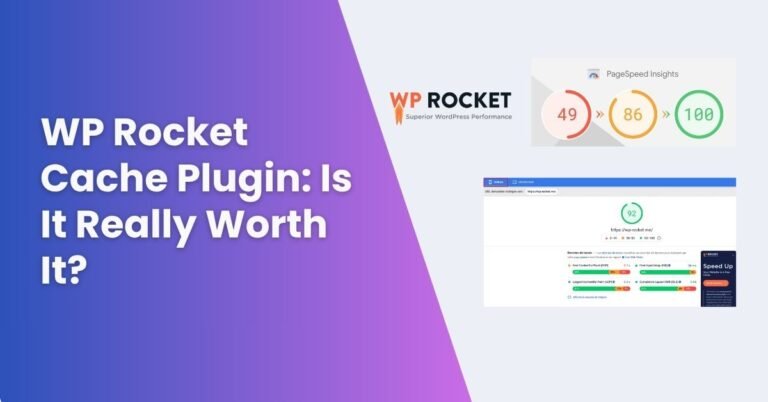
On my personal blog, I noticed my Google PageSpeed Insights score jumped from the mid-60s to the 90s after enabling WP Rocket. And I didn’t touch a single line of code.
Pros and Cons of WP Rocket
Because nothing is perfect, let’s be honest here:
Pros:
- Super easy setup — even beginners can handle it
- Noticeable speed improvements right away
- Works well with most themes and plugins
- Great documentation and support
Cons:
- It’s not free (starts at $59/year)
- A few advanced settings may still confuse beginners
- You still need good hosting — it won’t fix a slow server
WP Rocket Pricing — Is It Worth Paying For?
WP Rocket starts at $59/year for one site, which honestly isn’t bad if your site’s performance means anything to you. They also have plans for multiple sites if you’re managing client projects.
Plugin page link- WP Rocket plugin
Sure, you can cobble together free tools, but think of it like kitchen gadgets: you could chop veggies with a dull knife, but why not get a sharp chef’s knife and save time (and your fingers)?
FAQs About WP Rocket Cache Plugin
1. Does WP Rocket really speed up WordPress?
Yes. Almost every site I’ve installed it on saw a noticeable improvement in load time.
2. Can beginners use WP Rocket without breaking their site?
Absolutely. The default settings are safe, so you don’t need to worry about wrecking anything.
3. Do I still need a CDN with WP Rocket?
It’s not required, but combining WP Rocket with a CDN (like Cloudflare) gives you an extra boost.
4. What happens if I don’t renew WP Rocket?
The plugin will still work, but you won’t get updates or support. Personally, I think the updates are worth it.
5. Is WP Rocket better than free caching plugins?
In terms of simplicity and results, yes. Free plugins can do a lot, but they’re harder to configure.
Final Thoughts
If you’re running a WordPress site and care about speed (which you should), WP Rocket is one of those plugins that just makes sense. It’s not magic — you still need solid hosting and good site practices — but it’s the easiest win I’ve found for performance.
Would I recommend it to a friend? 100%. Especially if you’ve already wasted hours tweaking free plugins and still feel stuck.